How it works
From the field
to your camera roll.
Pickup and leagues work a little differently. Here’s both.
Pickup and open play
Scan the QR.
Before your game, scan the sign on your field or court. It opens a web page for that spot.
Get your game.
Scan here.CourtShotPick how long.
Choose how long you’re playing.
How long are you playing?
60 min90 min2 hrsPay.
Check out in a couple of taps, through Stripe.
Play.
Your game gets recorded. Nobody has to press anything.
Watch.
We email you when it’s ready. Watch, scrub, switch angles, and send friends a share link.
Keep it.
Download the MP4 or save it to Google Drive before it expires. It lasts 2 weeks, with reminders on day 11 and day 13.
Leagues and intramurals
Different flow. It's built into registration, so you never scan a thing.
Register.
Sign up for your league or intramural team like you normally do. CourtShot is part of registration.
Play your season.
Every scheduled game is recorded. No scanning, no paying per game, no volunteers.
Get every game.
After each game, everyone on the roster gets a link to watch, share, and save it.
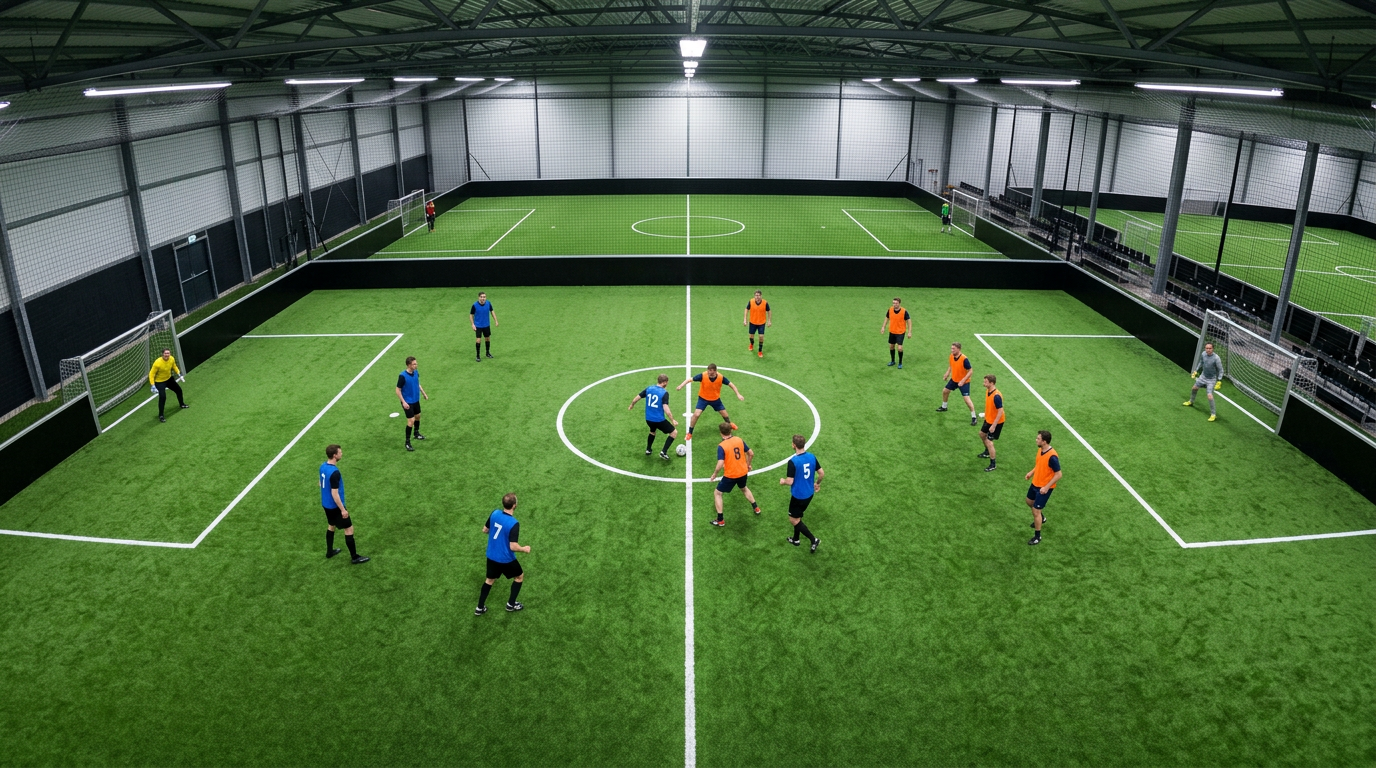
Every angle.
Most indoor soccer fields have two cameras, one at each end. Some courts do too. You get every angle of your game.
Save to Google Drive
Tap Save to Google Drive and we'll put the video in a CourtShot folder in your Drive. We only get access to files we create. We can't see the rest of your Drive.